Description:
Microsoft Visio is a diagramming and vector graphics application. Visio in Microsoft 365 allows both Windows and Mac users can work virtually anywhere, anytime. Visio simplifies project planning, enhances communication and transforms complex project information into comprehensible visuals.
Who can use it:
- Faculty
- Staff
- Researchers
Cost:
How to proceed:
- Click the Access Visio button to be redirected to the Microsoft Visio web application.
- Click the Request Visio License button on this page to be redirected to our software store to purchase a license for Microsoft Visio Plan 2.
- Click the Request Visio Support button to submit a ticket if you have questions about Visio and need to talk to someone. An IT professional will review your ticket during business hours, and respond within established Service Level Objectives. Coming soon: Learn more about Service Level Objectives.
Additional resources:
Whether you’re a project manager, analyst, or designer, Visio provides the tools you need to create impactful diagrams and streamline your work. Visio Basic for Microsoft 365 is free for students, faculty and staff. A free limited online version of Visio allows Windows and Mac users to create, view and edit basic Visio drawings.
Features and benefits of the tool include:
- Visualizing Complex Ideas: Organize Visually: With Visio, you can organize complex ideas visually. It provides a canvas where you can create diagrams, flowcharts, timelines, floor plans, and more.
- Templates: Start with hundreds of templates to jump-start your projects.
- Creating Professional Diagrams
- Shapes and Relationships: Easily add and connect shapes, text, and pictures to represent relationships in your data.
- Styles and Themes: Give your diagrams a professional look using styles, effects, themes, and backgrounds.
- Data-Driven Visuals
- Dynamic Diagrams: Link your diagrams to data from Excel, Access, or SharePoint. Create dynamic visuals that update automatically.
- Business Intelligence (BI): Utilize Visio to visualize data-connected business process flows.
- Collaboration and Sharing
- Cloud Integration: Save your diagrams to the cloud and share them with others through a browser, even if they don’t have Visio installed.
- Mobile Viewing: View your drawings on mobile devices for convenience.
- Cross-Browser Compatibility
- Visio is cross-browser compatible, allowing you to work seamlessly across different devices and browsers.
- Microsoft 365 Integration: Collaborate on Visio diagrams directly from within Microsoft Teams.
To Access Visio
How to Use Visio
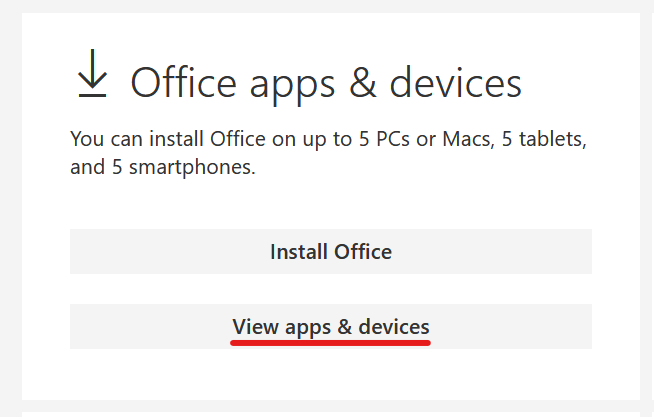
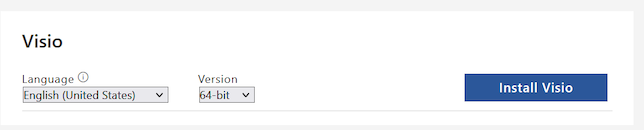
You can also install Visio on your local computer if you are on a Windows PC. Here are the steps to install:
Plan 2 is the preferred product to use. If you need to order Visio Standard or Visio Professional, email colorado@insight.com to request a license. After completing your purchase, you will receive a license proof. Please submit a ticket to the Service Desk with your computer name and the attached license proof. The software will then be deployed to your device.
Training Resources
If you need assistance downloading or accessing software, please contact the Service Desk.
For product information visit Visio Help and Learning Webpage.
For FAQs about Visio, visit the Microsoft Website.
For additional resources, visit Visio LinkedIn Learning.